
Mechanical package
Request the drawing number and revision, envelope, mounting hole tolerances, reference face and connector/cable clearance. A 3D model helps fit checking; the approved 2D drawing defines critical manufacturing dimensions.
ICS / Engineering request center
Choose the family and files you need. Include the exact model or required configuration so document revisions and supplied hardware can be matched.
CAD, firmware artifacts and calibration records are configuration-dependent. The controls below prepare a request; they do not represent a public library of released ICS files. We confirm the applicable files and revision during the configuration review.
Request the drawing number and revision, envelope, mounting hole tolerances, reference face and connector/cable clearance. A 3D model helps fit checking; the approved 2D drawing defines critical manufacturing dimensions.
Request the exact interface, pinout and supply limits. For CANopen include the EDS and object dictionary; for J1939 include message/scaling definitions and any DBC availability; for Modbus include registers, byte order and approved configuration commands. A matching physical connector does not establish matching signals.
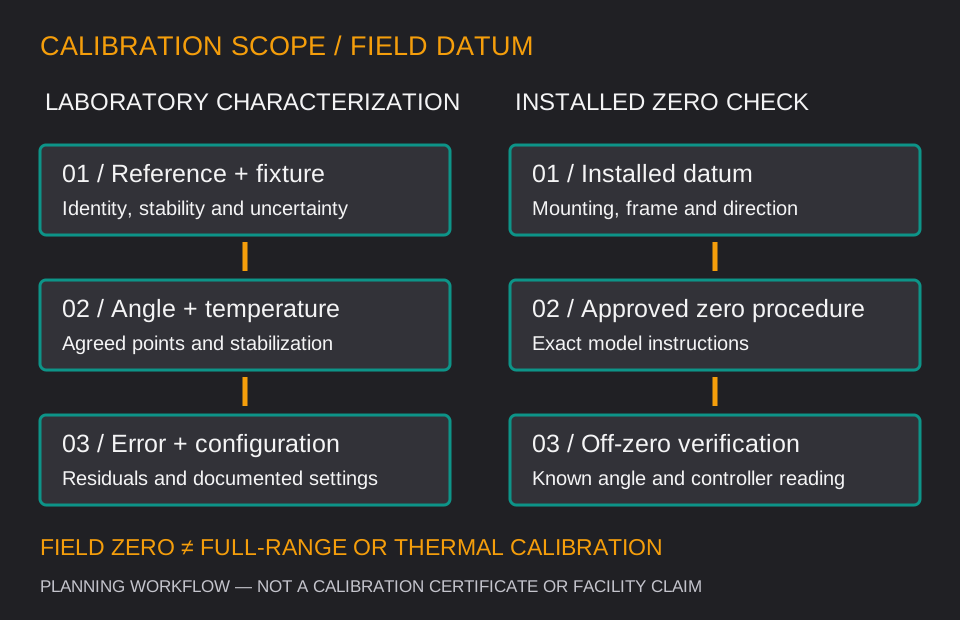
Request the defined range, output transfer function, accuracy conditions and calibration scope. If a serialized report or an accredited calibration is needed, state that requirement explicitly and confirm the issuer, scope, uncertainty and availability before ordering.
Record the supplied model, hardware/firmware revision and file revision together. Changes to a register map, scaling or saved defaults should be reviewed before replacing a device in an established controller program.
Review an installed reference model →Editable planning files / CSV
These are original, blank planning worksheets. They contain no product specifications, completed measurements, certificate statements or approval signatures. Fill in project-specific values and agree the acceptance criteria with the responsible engineer.
Capture motion, axes, range, error tolerance, interface, mounting, documents and sample/OEM quantities in one editable file.
Download blank project brief CSV ↧Record configuration, reference, target limits, observations and disposition. Empty result cells do not imply a passed test.
Download blank acceptance record CSV ↧No macros or software installation. CSV encoding: UTF-8. Attach your completed brief when emailing [email protected], or enter its key requirements in the web RFQ.
The blank worksheets are available above. Actual model files are supplied only when their availability and revision are confirmed for the configuration under review. Request the specific file rather than treating a generic drawing or sample report as an approved product document.
Use the email draft and attach files in your email client. The web RFQ accepts text requirements and does not upload attachments. Include the full order code, document revision and the interface currently used; avoid sending only an enclosure photo.
No purchase is created by the RFQ. Use it to scope the application and document needs; a formal quotation and agreed order establish the supplied configuration and commercial terms.